The one thing to check first: which console do you have?
Before anything else about which games run, this: the Xbox Series S cannot play a disc at all.Microsoft's own wording is blunt about it — the Series S is for "Use with digital games only" and the "console does not play physical discs".
For a budget buyer that is the single most consequential sentence on this page. Backward compatibility on Xbox is overwhelmingly valuable because of cheap used and clearance discs— a decade and a half of Xbox 360 and Xbox One games that sell for a few dollars each. A Series S owner gets none of that. They get the digital catalog, at digital prices, with digital sales. The console is cheaper and every game you buy for it is structurally more expensive, forever.
This is the same trap we walk through for Sony in physical vs digital PS5 games, and it is worth doing the arithmetic rather than assuming the cheaper box is the cheaper purchase. If you buy a lot of games and you are happy with the back catalog, the disc-drive console pays for its own price difference quickly. If you buy two or three games a year and want them day one, the discless one is fine.
What actually runs on a Series X
Three generations, per Microsoft's page: Xbox One games ("most"), plus "select XBOX 360, Original XBOX games". The important word in there is select. Xbox One games are near-universal; the two older generations are a curated list that Microsoft publishes and does not publish a running total for. We are not going to quote a number of titles at you, because Microsoft does not state one — check the list for the specific game you are about to buy, and treat a 360 or original Xbox disc as unverified until you have.
Microsoft also states that backward compatibility "is free". There is no subscription gate on the feature itself. That matters because the Xbox ecosystem has a subscription attached to almost everything else, and this is one of the parts that does not.
Discs and digital libraries behave differently
Both work; the mechanics are not the same, and the difference catches people.
Digital games you already own need no action: Microsoft says owned titles in the catalog "will automatically show up in the ‘Ready to Install’ section". Sign in on the new console and your library is there.
Discs are a two-step process that the box does not explain. Per Microsoft, you "insert the disc and the console will begin downloading the game to your hard drive"— so the disc is not simply read and played, it authorizes a download. And then the catch: "users will still need to keep the game disc in the drive to play".
Read that twice if you are buying discs to save money, because it has two practical consequences. First, a cheap disc still costs you install time and storage space before you can play it — budget for that on a console with a small drive. Second, the disc remains the key. You cannot buy a disc, install it, and pass the disc on to a friend; the game stops working. The identical rule applies on PS5 upgrades, which we cover in do PS4 games work on PS5, and it is part of why are used games worth it comes out in favor of discs you intend to keep rather than discs you intend to flip.
The old games get quietly better, for free
This is the part that makes buying an eight-year-old disc a less miserable proposition than it sounds. Microsoft's page promises "FPS Boost, higher resolution, and Auto HDR" on backward-compatible titles, and defines each:
- FPS Boost works "to help boost framerates to nearly double that of their original"— a 30fps game running at 60.
- Higher resolution, "enabling select titles to render at increased resolutions of up to 4K".
- "Auto HDR automatically enhances SDR games that pre-date HDR technology"— applied to games made before HDR displays existed.
The caveat is Microsoft's own and it is important: "Specific features vary by game; download required". Not every title gets all three, or any. Treat these as a bonus you may receive, not a specification you are buying. But it does mean the honest version of "buy the cheap old disc" on Xbox is better than the honest version on most platforms, because the old game may well run better than it ever did on the console it was made for.
The limitations Microsoft documents
Four of them, all from Microsoft's own page, and all worth knowing before you spend:
1. Online multiplayer is a subscription, separately
Microsoft states that online console multiplayer "requires XBOX Game Pass (subscription sold separately)". Backward compatibility is free; playing a backward-compatible game online with other people is not. If the whole reason you want a cheap old shooter is its multiplayer, add the running cost of a subscription to the price of the disc before you decide it is cheap. Our is Xbox Game Pass worth it does that arithmetic properly, and are game subscriptions worth it compares it against simply buying the games.
2. Original Xbox games lose their online features entirely
For the oldest generation Microsoft is explicit that "XBOX Live services such as online multiplayer and in-game marketplaces" are not available, and that "There are no XBOX achievements for Original XBOX games". So an original Xbox title is a single-player purchase, full stop, and it will not add to your gamerscore. If the game you are eyeing from that era was built around its multiplayer, you are buying half of it.
3. Old saves do not come with you
Microsoft states that original-console "game saves will not transfer to XBOX One or XBOX Series X|S". Saves you create on the new console behave normally and "can transfer to other XBOX One or XBOX Series X|S consoles through the cloud". In practice: a replay is a fresh start. That is usually fine, but if you were planning to resume a half-finished campaign from an old memory unit, you are not going to.
4. "Select" and "most" are doing real work
Microsoft's phrasing — "most" Xbox One games, "select" 360 and original Xbox games — leaves room for exclusions, and there is an excluded-games list. Licensing lapses, games built around hardware that no longer exists, and servers-only titles all end up outside the catalog. Check before you buy, especially for anything licensed: sports games and movie tie-ins are the usual casualties, for the same reason game servers shut down takes the online-only ones away.
The Xbox 360 store closed. The games did not.
In August 2023 Microsoft announced that the Xbox 360 Store and Marketplace would close, and it did on July 29, 2024. It is worth knowing what that did and did not change, because it is routinely misreported as the end of 360 gaming.
Microsoft's statement said: "This change will not affect your ability to play Xbox 360 games or downloadable content you have already purchased." On how you get in: "If you purchased the game digitally or have a physical disc, you can still jump in and play." And on this page's subject specifically: "There is no impact to purchasing or playing backward-compatible Xbox 360 titles."
So the practical effect for a budget buyer is the reverse of a disaster — it is an argument for discs. One storefront for that generation is gone, which means a 360 game that was only ever sold there is now hard to get legitimately, while a 360 game that shipped on a disc is still sitting in a bargain bin and will still install on a Series X. Physical media outlived the store it competed with. That is the whole case made in physical vs digital games, and this is the clearest real-world example of it.
What this means for how you shop
Three things, if you own or are buying a Series X:
Stop filtering by generation. An Xbox One game is not an old game you are settling for; it is a current purchase that may well run better than it originally did. The same logic applies to PS4 discs on a PS5, which is why is a PS4 still worth it argues the last-gen shelf is now a current-gen shelf.
Check the list, then check the price.For an Xbox One game, assume it works. For a 360 or original Xbox game, verify it is on Microsoft's catalog first, because a disc that is not on the list is a coaster on a Series X. The Xbox One generation is where the volume is, and a franchise that shipped half a dozen entries in it is the easiest place to start — the best cheap Far Cry games is the clearest example of six near-identical open worlds at near-identical prices, and the reasoning there transfers directly to the Xbox editions.
Buy the drive if you buy discs.The Series S is a good console and a bad fit for the strategy this page describes. If cheap physical games are your plan, the disc drive is not an optional luxury — it is the entire mechanism.
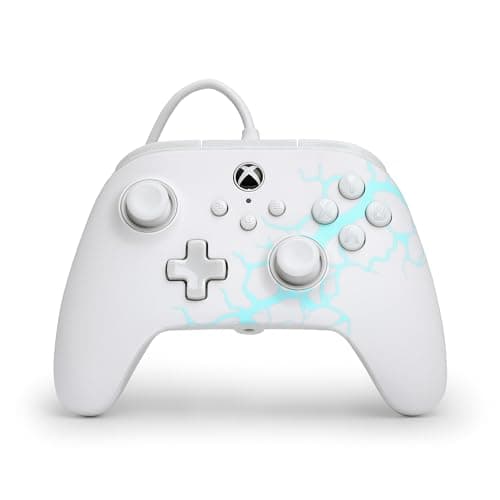
For where to actually buy, how to buy Xbox games cheap covers the routes and the Xbox sale schedulecovers the timing. The two picks below are the Xbox things we can sell you honestly: store credit, which is the only way to buy digital Xbox games through this site, and a second controller — because a decade of backward-compatible local multiplayer needs two pads, and it is the cheapest upgrade on the shelf. Everything else on the cheap Xbox pageis editorial, since Amazon's budget Xbox disc catalog is too thin and too marketplace-driven for us to put a buy box on with a straight face.