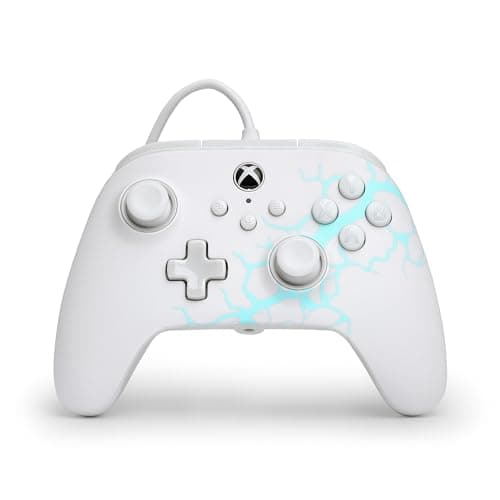
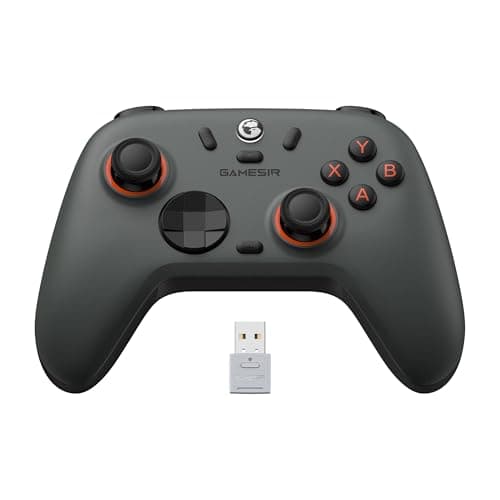
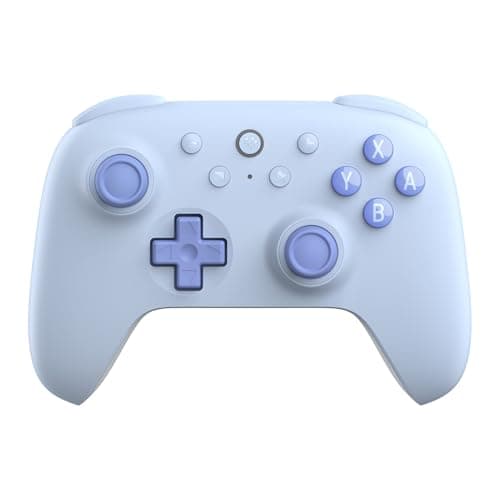
Buy the 8BitDo Ultimate 2C. It is the best-feeling pad of the three, it has drift-proof Hall-effect sticks, and it is wireless — which on a PC usually decides whether you can play from the sofa or only at the desk. If you want the simplest possible setup and never want to think about charging, take the wired PowerA Advantage instead; if the same pad has to serve a PC, a Switch and a phone, take the GameSir Nova Lite.
PC is the platform where the budget-gear argument is least controversial. A console manufacturer can refuse to let an unlicensed pad work at all; Windows does not work that way, and Steam adds its own controller layer on top of it. The practical consequence is that what you are buying at this price is hardware durability and how little configuration you have to do— not permission to play.
All three picks are ranked on our usual value-per-dollar read, with live prices in the table above. All three also carry Hall-effect sticks, which is the single most important durability feature on a controller spec sheet and is explained in full in what causes controller stick drift. One honest caveat applies to the whole list: none of these is a PlayStation pad, and no software setting changes that.
What actually matters in a PC controller
Four things, in this order. Everything else is marketing.
1. Does Windows see it without a fight?
The smoothest PC experience comes from a pad Windows already understands, which in practice means an Xbox-licensed controller. The PowerA Advantage is officially licensed for Xbox consoles and Windows, so it is the plug-it-in-and-go option of the three. The 8BitDo and GameSir pads both support PC as a first-class platform, but each has its own connection modes and its own configuration software, which is one more thing to learn. If you want zero setup, that is a real tiebreaker.
2. Hall-effect sticks, every time
A controller almost never dies from a broken button. It dies from stick drift, and stick drift comes from the wearing contacts inside a conventional stick. Hall-effect sticks read position magnetically with nothing rubbing, so they do not develop it. All three picks here include them. At this price that is remarkable, and it is the main reason the honest advice on PC is to stop at thirty dollars rather than keep climbing.
3. Wired or wireless — decide where you sit
If the PC is a desk machine and the pad lives next to the keyboard, wired is the better purchase: cheaper, no batteries, nothing to pair, nothing to go flat at the worst possible moment. If the PC is also a living-room machine, wireless is worth the few extra dollars. We go through the full trade-off in wired vs wireless controllers; on PC specifically, the deciding question is simply how far you sit from the machine.
4. Extra buttons, only if you will use them
The PowerA Advantage adds two mappable back buttons and three-position trigger locks, which are genuinely useful in shooters and normally appear on pads costing twice as much. They are also easy to ignore. Do not pay a premium for paddles you will never map; do take them when they arrive free with the pad you were buying anyway.
What a cheap PC pad will not do
Be clear-eyed about the gaps. None of these is a licensed PlayStation controller, so if your plan involves a PS5 you are on the wrong list. None offers the elaborate haptics of a premium first-party pad. Wireless pads need charging, and cheap ones generally do not have swappable battery packs. And the configuration software on budget pads ranges from genuinely good (8BitDo's) to fiddly (GameSir's) — if you intend to tune stick curves and build profiles rather than just play, that gap matters more than a few dollars of price difference.
Where the saved money should go
The whole point of stopping at thirty dollars is that the difference buys games. A PC pad plus two or three titles from our best games under $20 list costs less than one official controller, and the games are the part you will remember. If you are building a cheap setup from scratch, gaming gear for beginners covers the rest of the kit, and cheap PC games is where to point the pad once it arrives.