Yes, with one caveat and three exceptions. A good controller now costs about twenty-five to thirty dollars, not seventy, and the best cheap pads ship with Hall-effect sticks — the magnetic design that does not develop stick drift — which several first-party pads at triple the price still do not. On the single spec that decides how long a controller lasts, the cheap option is frequently the better product. That is not a value-hunter's rationalisation; it is just where the market currently sits.
The caveat is that "cheap" covers two very different things: a licensed budget pad from a brand with a real product page, and a no-name pad that looks the same in a photograph. The first is a bargain. The second is why this question gets asked. The rest of this page is how to tell them apart, what you genuinely lose at this price, and the three situations where we would tell you to spend more.
What you actually give up at $25–$30
Rumble, motion and fancy haptics
This is the real list, and it is shorter than people expect. Cheap pads often drop rumble; the cheapest Switch pads drop motion controls and amiibo support too; and none of them do the elaborate adaptive-trigger and fine-haptic tricks a premium first-party controller does. For the overwhelming majority of games this changes nothing. For the handful of titles that genuinely require motion controls, it is a hard blocker — so check the specific game before buying the cheapest pad on the shelf.
Materials and the feel in your hand
You can tell. Budget pads use plainer plastics, lighter shells and simpler triggers, and picking up a cheap pad and an expensive one back to back makes the gap obvious. What is less obvious is whether that gap affects your play, and honestly it mostly does not. It affects how pleasant the object is to hold, which is a real thing to want — just price it accurately rather than calling it performance.
Software polish and battery life
Configuration software is where budget brands differ most from each other, never mind from first-party. 8BitDo's app is genuinely good; some competitors' software is fiddly enough to be a reason to choose differently. Battery life on cheap wireless pads is usually fine but rarely published in a way you can trust, and almost none offer swappable packs. If you want to avoid the whole question, buy wired — it is cheaper anyway, which is the argument in wired vs wireless controllers.
What you gain: the stick-drift reversal
Stick drift — the camera or character creeping on its own — is how most controllers die, and it comes from physical contacts inside a conventional stick wearing down. Hall-effect sticks sense position with magnets and nothing rubs, so they do not develop it. Several cheap pads now include them as standard while some much pricier controllers still do not, which means the durability argument for expensive hardware has quietly inverted. If you only remember one thing from this page, remember to check for Hall-effect sticks before you check anything else; the full mechanism is in what causes controller stick drift.
How to tell a good cheap pad from junk
Four checks, all of which you can do from the listing in under a minute:
- Is it officially licensed for your platform? Licensing is the difference between a pad that keeps working after a system update and one that might not. It matters most on consoles, and most of all on PlayStation, where it is enforced in hardware.
- Does the brand have a real product page?A manufacturer site you can open and read — 8BitDo, PowerA, GameSir, HyperX — means specs you can check and firmware that exists. A pad that appears only as a marketplace listing with a generic name means neither.
- Hall-effect sticks, stated plainly? If the listing does not say, assume not. At this price, plenty of pads do say.
- Is the seller one you can return to? Controllers are the gear category where a dud is most likely, and a painless return is worth more than five dollars of savings.
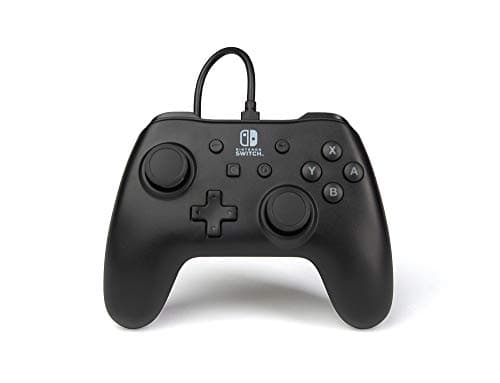
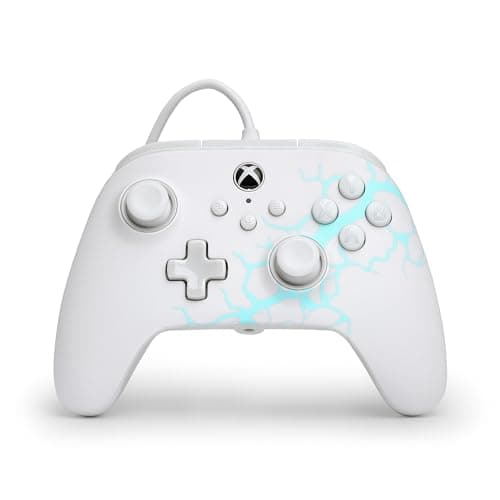
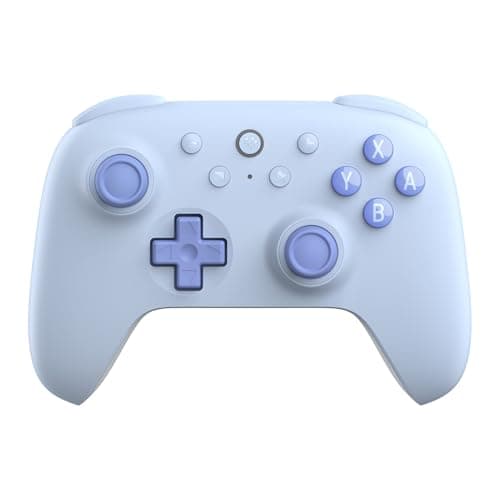
The three pads above all pass those checks, which is why they are the ones we point at. Each is matched to a different buyer: the do-everything wireless pad, the cheapest licensed wired Switch pad, and the licensed wired Xbox and Windows pad with extra buttons.
The three cases where cheap is the wrong call
1. You need it on a PlayStation console
None of the budget pads we have verified works on a PS4 or PS5, and unlicensed "PlayStation-compatible" hardware is the single most common way this goes wrong, because Sony enforces licensing on the console itself. On PlayStation, buy licensed — first-party or a licensed third party — and accept the price.
2. You play competitively and will use the extras
Swappable stick modules, extra paddles, adjustable stick tension and pro-level firmware are real features that real competitive players use. If you are one of them, the premium is justified. The test is whether you will actually configure the thing: if you have never remapped a button in your life, the paddles are not for you.
3. You rely on specific accessibility hardware
Adaptive controllers, mounts and specialist layouts are not a market where budget alternatives exist, and compatibility matters far more than price. This is the one case where we would not try to talk anyone down a tier.
So how much should you spend?
Around twenty-five to thirty dollars for a main pad with Hall-effect sticks, and as little as possible for a second pad that spends most of its life in a drawer — see best second controller for a Switch. Below about fifteen dollars you are generally buying unlicensed hardware with contact sticks, which is the version of cheap that earns the bad reputation. Above about forty you are paying for polish, badges and competitive features rather than for a pad that plays better.
The reason we are this specific about it is that the money has somewhere better to go. The difference between a good cheap pad and a first-party one is three or four games from our under-$20 list— and the games are the part you will still be thinking about next year.