Penny&Pixel

GEAR

The best second controller for a Nintendo Switch

Adding a second player should cost less than the game you want to play together. Three cheap pads ranked for value, plus the one thing to check before you buy the cheapest.

By Stephen V.Deal hunter & value analystPublished October 5, 2026How we pick

#ad— Penny & Pixel is reader-funded. We earn a commission when you buy through our links, at no extra cost to you. It never changes a pick or a verdict. Full disclosure.

A Nintendo Switch docked beside a TV with two controllers — best second controller for Switch

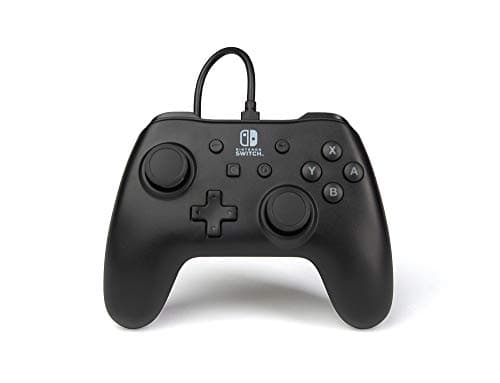
Buy the PowerA Wired Controller. It is the cheapest pad here, it is officially licensed, it is a comfortable full-size controller, and for a second player sitting in front of a docked Switch the cable is simply not a problem — which makes it the best value on the page by a clear margin. If the second player sits across the room, or the Switch gets used in tabletop mode, pay a little more for the wireless 8BitDo Ultimate 2C instead.

One thing to check first, because it is the only way this goes wrong: the PowerA wired pad has no rumble and no motion controls or amiibo support. A small number of Switch games lean on motion for specific actions, and a few party games assume it. If the game you are buying the pad foris one of those, you need a pad that has motion — or a Joy-Con. For the enormous majority of co-op and couch games, including almost everything on our cheap games to play with friends list, it makes no difference at all.

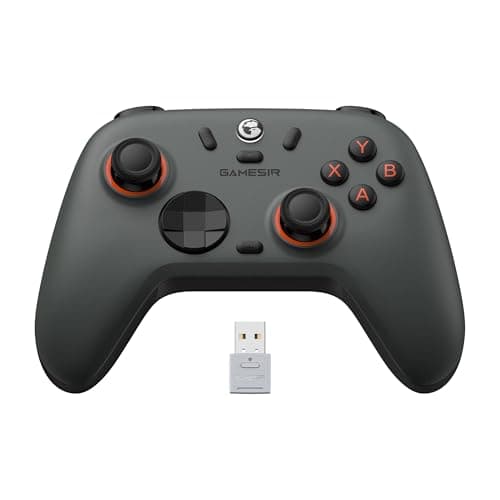
The third pick, the GameSir Nova Lite, is here for one specific buyer: the household where the same pad also has to work on a PC or a phone. It is a fine Switch pad and a more flexible one; it is not the best-feeling of the three.

The short answer

Quick picks

#GameBest forValuePrice
01
PowerA Wired Controller for Nintendo Switch

Nintendo Switch

The default answer to 'cheap Switch controller.' A third of the price of a Pro Controller, officially licensed, and perfectly good for everything except motion and rumble.

Best cheap Switch controller
8.6/10
Value
$16.47Amazon
02
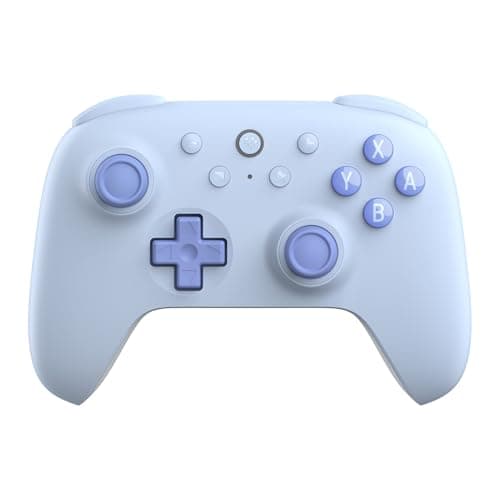
8BitDo Ultimate 2C Wireless Controller

Switch / PC / mobile

Hall-effect sticks (no stick drift, ever) and rock-solid wireless for around twenty-five dollars. It quietly outspecs pads costing three times as much.

Best value controller overall
9.2/10
Value
$29.99Amazon
03
GameSir Nova Lite Wireless Controller

PC / Switch / mobile

A do-everything budget pad with Hall-effect sticks and multi-platform support for around thirty dollars. A lot of controller for very little money.

Best multi-platform budget pad
8.6/10
Value
$29.99Amazon

#ad · Live prices from the Amazon Product API, as of October 5, 2026. Where we have no verified live price, we show none — we would rather leave a gap than print a number that has rotted.

In detail

The picks, in full

01
PowerA Wired Controller for Nintendo Switch

Best cheap Switch controller

PowerA Wired Controller for Nintendo Switch

Nintendo Switch · Physical

WiredSwitchNo rumble~$20
8.6/10
Value

The default answer to 'cheap Switch controller.' A third of the price of a Pro Controller, officially licensed, and perfectly good for everything except motion and rumble.

Pros

  • A third the price of a Pro Controller
  • Officially licensed and reliable
  • Comfortable full-size pad

Cons

  • Wired only
  • No HD rumble or motion/amiibo

Don't buy this if…

…you need motion controls, rumble or wireless — this is the no-frills budget option.

$16.47View on Amazon

$22.9928% off

Price as of October 5, 2026. Prices change — Amazon's is the one that counts.

#ad · we may earn a commission from this link to PowerA Wired Controller for Nintendo Switch

02
8BitDo Ultimate 2C Wireless Controller

Best value controller overall

8BitDo Ultimate 2C Wireless Controller

Switch / PC / mobile · Physical

WirelessHall-effect sticksSwitch/PC~$25
9.2/10
Value

Hall-effect sticks (no stick drift, ever) and rock-solid wireless for around twenty-five dollars. It quietly outspecs pads costing three times as much.

Pros

  • Drift-proof Hall-effect sticks
  • Excellent build for the price
  • Great software/remapping

Cons

  • Not for PlayStation or Xbox consoles
  • No HD rumble

Don't buy this if…

…you need it for a PS5 or Xbox console — it's a Switch/PC/mobile pad.

$29.99View on Amazon

Price as of October 5, 2026. Prices change — Amazon's is the one that counts.

#ad · we may earn a commission from this link to 8BitDo Ultimate 2C Wireless Controller

03
GameSir Nova Lite Wireless Controller

Best multi-platform budget pad

GameSir Nova Lite Wireless Controller

PC / Switch / mobile · Physical

WirelessHall-effect sticksPC/Switch/mobile~$30
8.6/10
Value

A do-everything budget pad with Hall-effect sticks and multi-platform support for around thirty dollars. A lot of controller for very little money.

Pros

  • Drift-proof sticks
  • Works across PC, Switch and phones
  • Cheap

Cons

  • Software is fiddly
  • Not for PlayStation/Xbox consoles

Don't buy this if…

…you want a single-platform, plug-and-play pad — this trades polish for flexibility.

$29.99View on Amazon

Price as of October 5, 2026. Prices change — Amazon's is the one that counts.

#ad · we may earn a commission from this link to GameSir Nova Lite Wireless Controller

The honest part

What to skip

Skip · A second pair of Joy-Con, at full price

A fresh pair of Joy-Con is the most expensive way there is to add one player to a Switch — several times the price of the wired pad at the top of this list, for a product whose sticks are famous for developing drift. If you specifically need the extra pair for motion-controlled party games or tabletop play with two separate halves, fine. For everything else, it is a poor use of the money.

The honest alternative is the one above: a cheap wired pad for the second player, and the Joy-Con you already own stay with player one. If you want the second pad to be wireless too, the 8BitDo Ultimate 2C does it with Hall-effect sticks that will not drift, for well under Joy-Con money.

Buy instead: PowerA Wired Controller.

What a second controller actually needs

A second pad has a different job from your main one, and it is worth being deliberate about that rather than buying another of whatever you have.

It needs to be cheap, because it gets used less

Unless you play two-player every day, the second pad spends most of its life in a drawer. The value maths therefore looks nothing like the maths on your primary controller: paying first-party prices for hardware that is idle five days a week is the definition of a bad deal. This is the clearest case on the whole site for buying at the bottom of the market deliberately rather than reluctantly.

It needs to survive being handed to someone else

Second controllers get used by guests, siblings and children, which means they get dropped. A wired pad has no battery to swell and nothing to lose, and the two wireless picks here both use Hall-effect sticks that do not develop drift with age — a feature that matters more on a pad which sits unused for months at a time. If you want the mechanics of that, see what causes controller stick drift.

It does not need rumble, motion or a gyro — usually

This is the whole reason a cheap wired pad works. Most couch co-op is played with sticks and buttons: platformers, co-op puzzle games, farming games, beat-em-ups, fighting games. Rumble is a nice-to-have. Motion is genuinely required by a handful of titles and genuinely assumed by some party games, so the rule is simple — check the specific game before you buy the cheapest pad, and if it needs motion, buy one that has it.

It should match where the second player sits

If both players are on the sofa in front of a docked Switch, wired is fine and cheaper. If the second player roams, or the console gets propped up on a table for two, wireless is worth the extra. That is the entire decision, and it is covered in more depth in wired vs wireless controllers.

How many controllers do you actually need?

Two covers the vast majority of couch play. Four is only worth buying if you own several four-player games and actually have four people — at which point the cheap wired pad becomes even more obviously the right purchase, because you are buying three of them. Our cheap games for couples and Human: Fall Flat vs Overcooked 2 pages both note player counts, which is the number to check before you buy hardware for a party that will not happen.

Then buy the game, not more controller

The point of a cheap second pad is that the saving buys the co-op game you wanted it for. Two-player games are among the best value in the Switch catalogue, and the cheapest of them cost less than the difference between the pad at the top of this list and a new pair of Joy-Con. Start with best Switch games under $20.

How we picked

We don't test games in a lab

Most "best cheap games" lists just re-rank the same store page. We don't, and we won't pretend to run a test lab we don't have. What we do: compile the real current and historical-low prices, the actual playtime and replay data, and the sale cycle — then do the value math and tell you what to skip. The full method is on how we pick. Everything here is checkable.

Questions

Frequently asked

01What is the cheapest good second controller for a Switch?
The PowerA Wired Controller. It is officially licensed, full-size and comfortable, and for a second player in front of a docked Switch the cable is a non-issue. The trade-off is no rumble and no motion controls.
02Can you use a wired controller as a second Switch controller?
Yes — a licensed wired pad plugs into the dock and works as a normal second controller for docked play. What it cannot do is work in handheld or tabletop mode away from the dock, and it has no motion controls, so check the game you want to play together before buying one.
03Do I need a second pair of Joy-Con?
Only if you need motion controls for both players, or you want two people playing in tabletop mode off separate halves. Otherwise a second pair of Joy-Con is the most expensive way to add a player, and the sticks are drift-prone. A cheap licensed pad does the same job for much less — see the skip pick above.
04Will a cheap pad work for games that need motion controls?
No, and this is the one real limitation. The wired PowerA pad has no motion or rumble, so a game that requires either will not play properly on it. Check the specific game's control requirements first; if motion is needed, you need a pad that includes it.
05Is the 8BitDo Ultimate 2C a good second Switch pad?
Yes, and it is the one to buy if the second pad needs to be wireless. It has drift-proof Hall-effect sticks and a better build than its price suggests. Its head-to-head against the other cheap wireless option is in 8BitDo Ultimate 2C vs GameSir Nova Lite.

Keep reading

Sources

Where this comes from